Getting started
Training resources (both events and materials) may be searched in HEP Training in several ways.
General search
If you are on the main page of HEP Training, a general search can be performed based on keywords, which will return separate lists of events and materials.
You can add ‘OR’ and ‘AND’ between keywords to tailor your search.
Browsing and filtered search
Use the tabs at the top of the page to browse events or materials separately then perform a more advanced filter (on the left) and search.
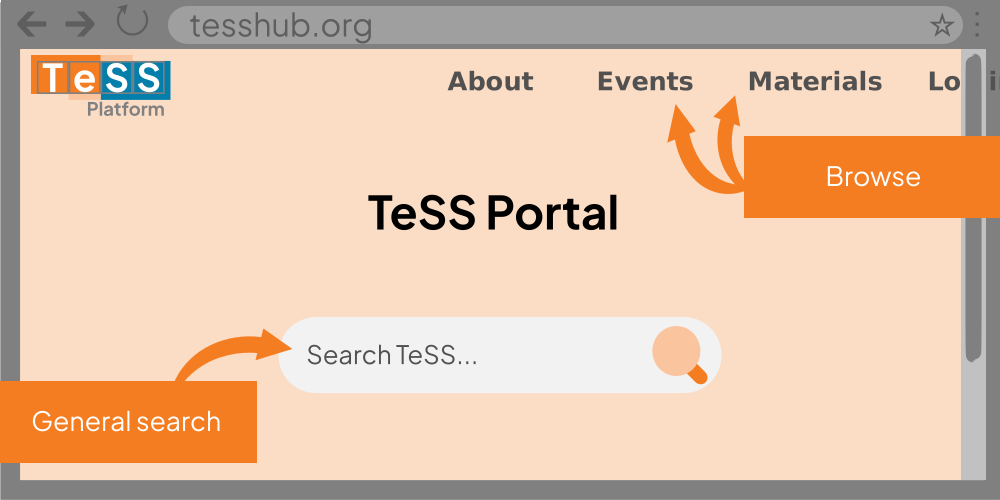
Browsing by events or materials allows more precise filtering on several parameters (such as event type, country, and target audience), alone or in combination. You can also search for content providers, users and other types of training.
General search
In the top menu, click on the HEP Training logo on the top-left corner.
Click in the big search box in the centre of the screen and enter your query.
Click the magnifying lens (search) button to the right or press Enter.
The search results are displayed in tabs for each type of result. These may include events, materials, content providers, learning paths, workflows, users, collections (depending on the search).
Browsing and filtered search
In the top menu, click the type of training you wish to search.
You can enter keywords in the search box above the results.
You can sort results by date or title using the control on the left.
You can filter results by multiple paramaters using the controls on the left.
You can move through the pages of results at the bottom of the page.
Search across all spaces in HEP Training by clicking Show materials from all spaces.
Descriptions of the filters can be found on the Definitions page.